
Why Every Computing Student Must Join NACOS UMYU
NACOS UMYU is the official professional association for undergraduates in Computer Science, Software Engineering, Information System, and Cybersecurity at Umaru Musa Yar’adua University, Katsina. Registering your membership unlocks verified digital identity, academic exam archives, tamper-proof credentials, and priority access to industry bootcamps.
Exclusive Member Digital Perks
Explore the four cornerstone digital benefits provided exclusively for registered UMYU computing undergraduates.
Official Digital Membership ID Card
Instant access to your cryptographic NACOS Digital Identity Card. Verifies student status for departmental clearance, elections, hackathons & campus perks.
- Official recognition for NACOS UMYU voting & annual elections
- Instant QR code verification for campus security & event entry
- Seamless integration with departmental clearance workflows
- Digital student proof accepted for tech student discounts

How to Join NACOS UMYU — Step by Step
Follow these 8 simple visual steps to complete your registration and claim your official digital membership identity.
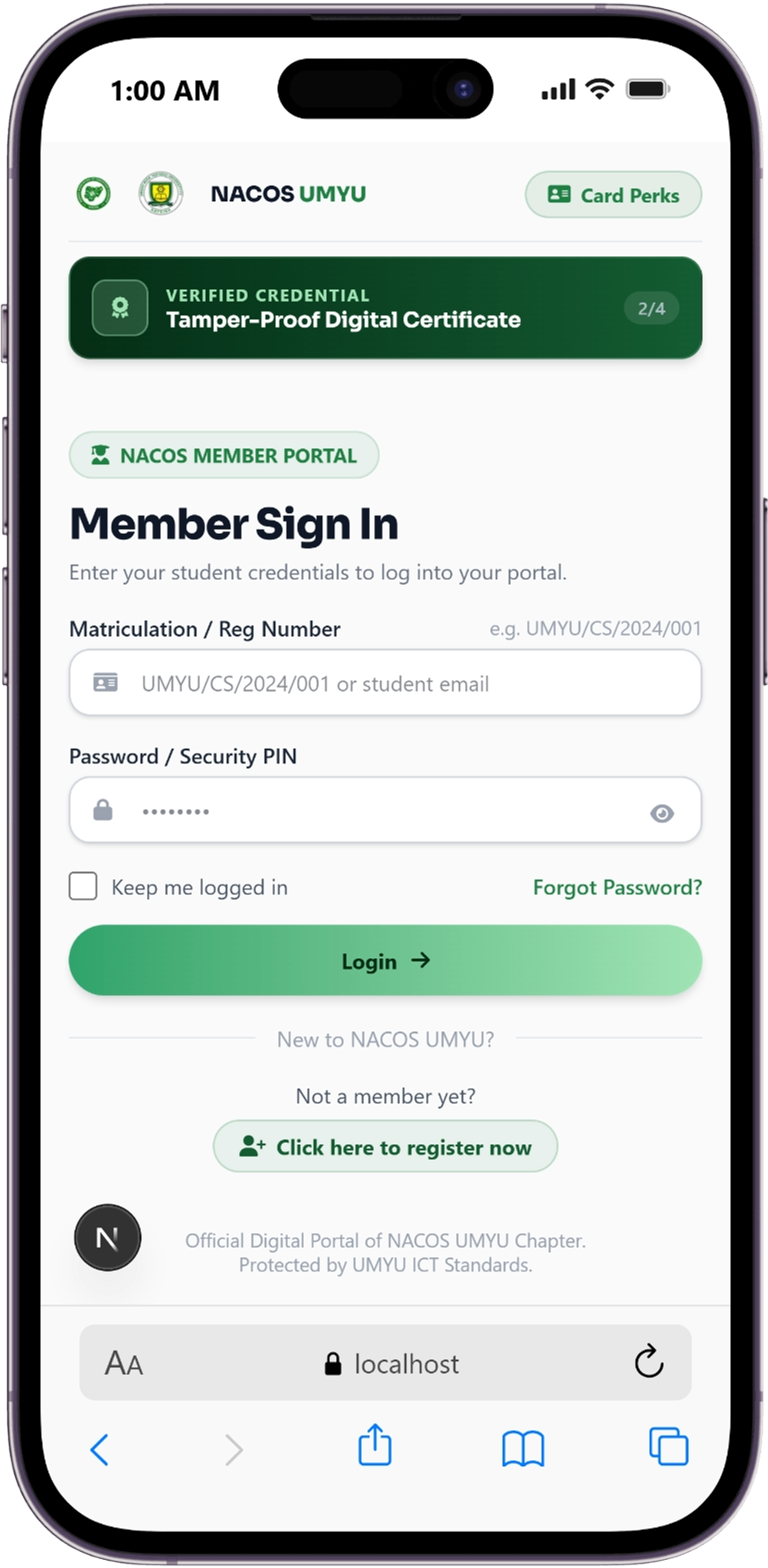
Access Official Portal & Select Programme
Navigate to the official NACOS portal or click 'Join as a Member'. Select your specific departmental programme: Computer Science, Software Engineering, Information System, or Cybersecurity.
- Accessible on mobile & desktop browsers
- Select from 4 major computing programmes
- Initializes your student portal account
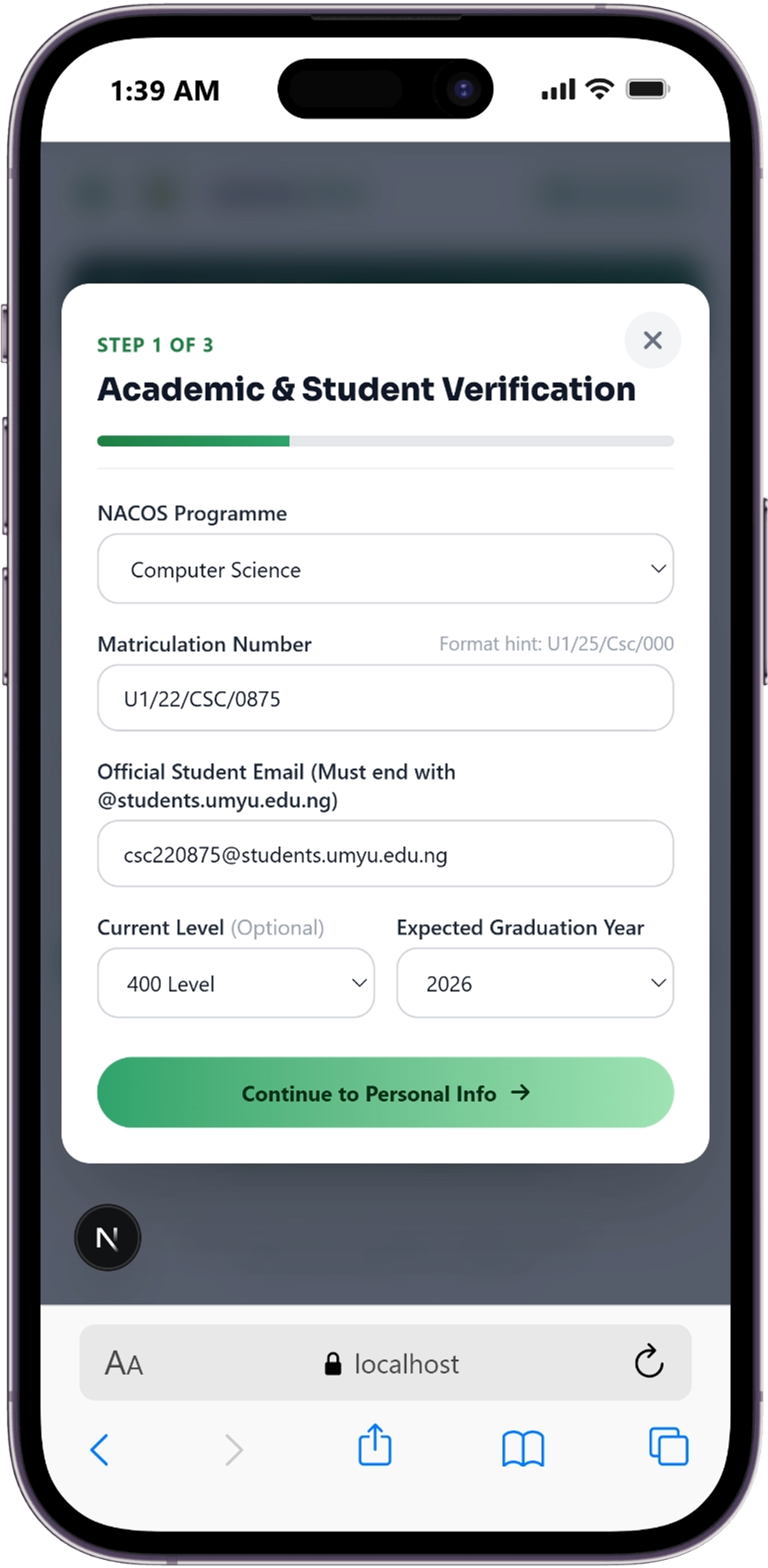
Enter Academic Info & Student Email
Input your official UMYU Matriculation Number (e.g. U1/21/CSC/1042) and your institutional student email address (@students.umyu.edu.ng).
- Automated format check for UMYU matric codes
- Verifies student level & programme
- Connects record to official university database
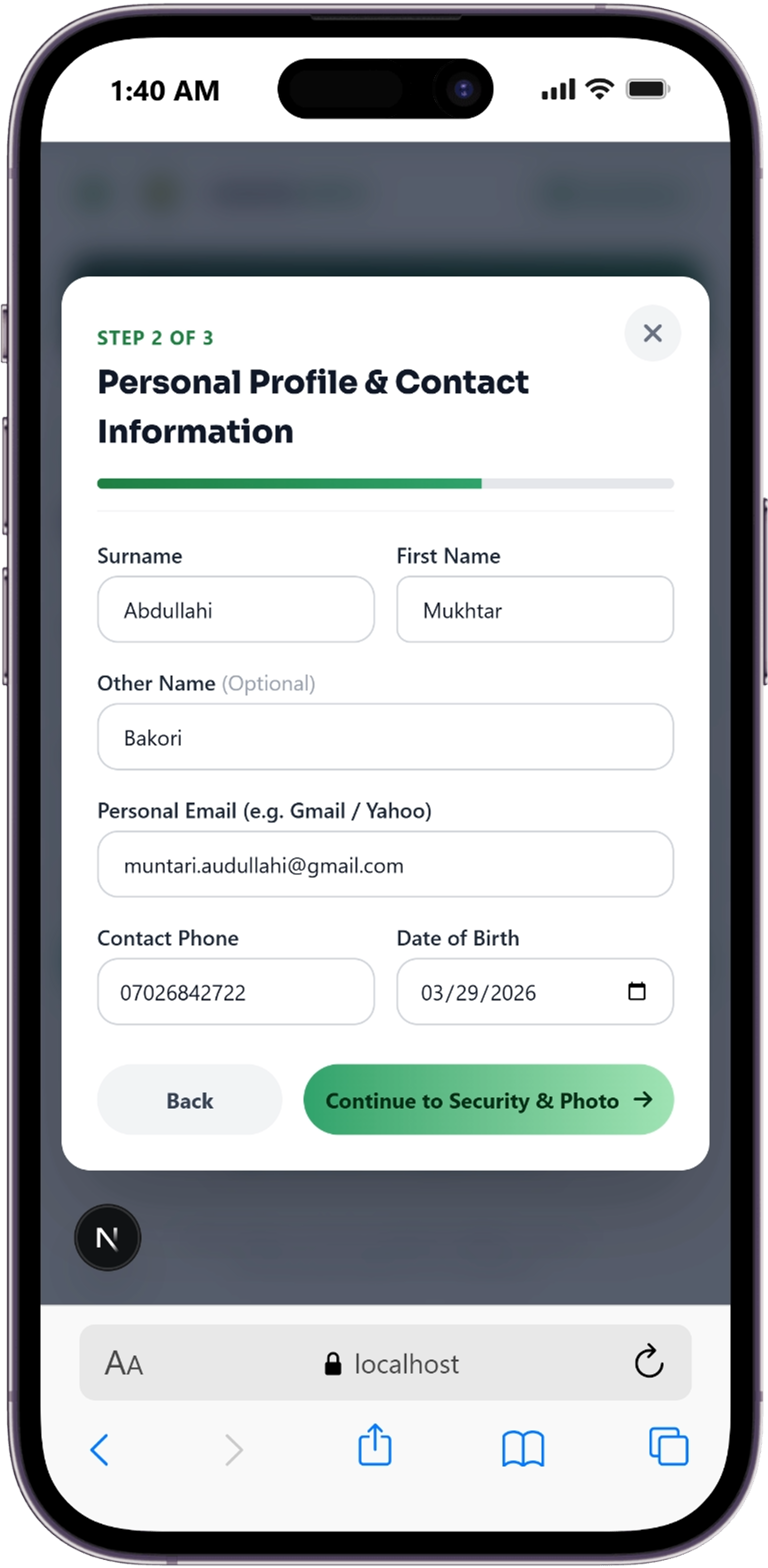
Fill Personal & Contact Details
Fill in your personal information: Surname, First Name, Other Name, Personal Email address, Contact Phone Number, Date of Birth, Gender, and Account Password.
- Enter full names & contact phone number
- Provide personal email & Date of Birth
- Create secure account password
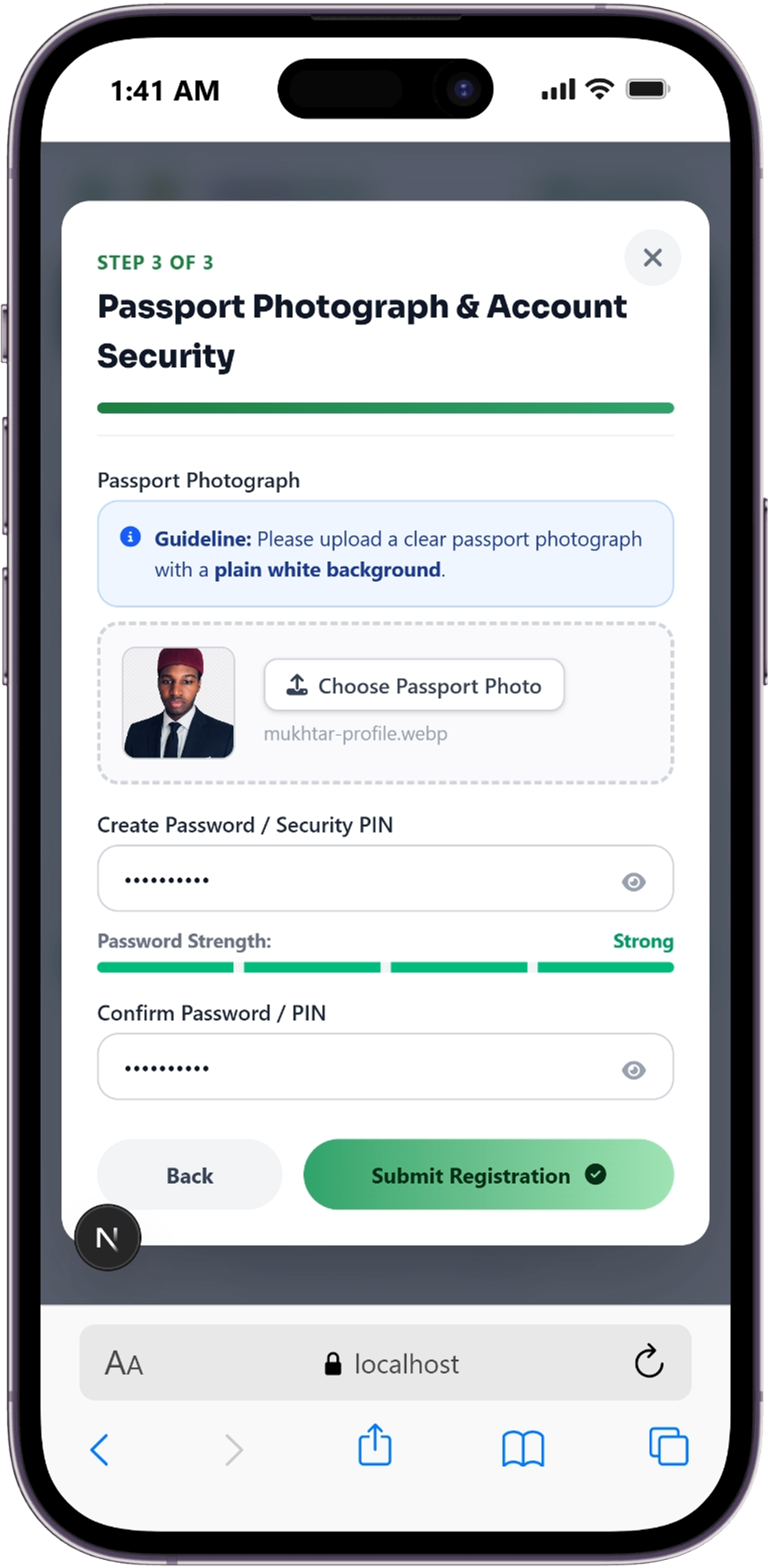
Upload Clear Passport Photograph
Upload a clear passport photograph with a plain white background to be displayed on your digital ID card and official certificates.
- Plain white background photograph
- Embedded onto Digital ID Card
- Stored in encrypted chapter database
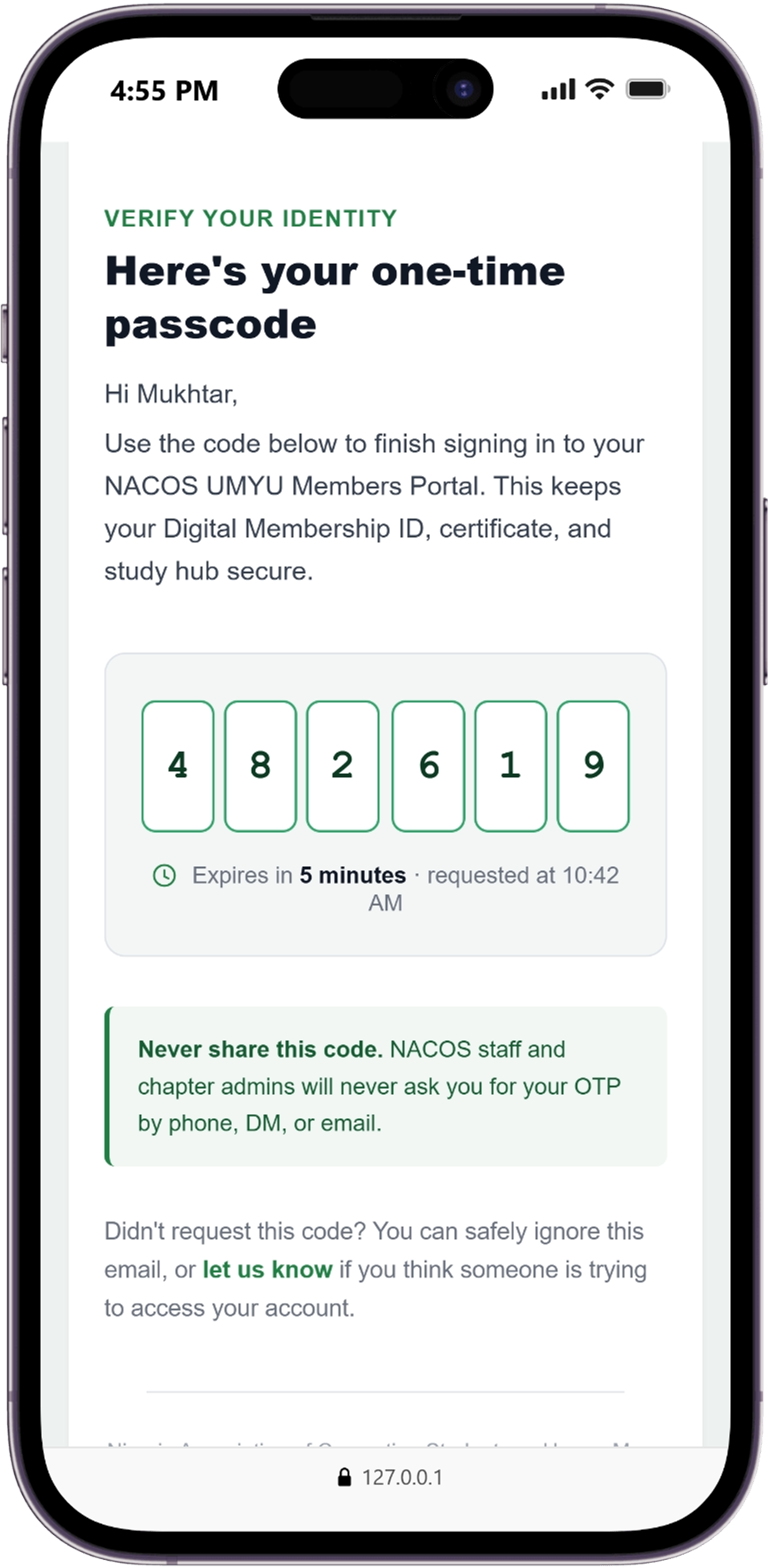
Apply for Verification Method
Select your preferred verification pathway: verify identity via student email OTP dispatch or upload proof of departmental clearance/receipt.
- Select institutional email verification
- Option to upload proof/clearance reference
- Direct submission to portal backend
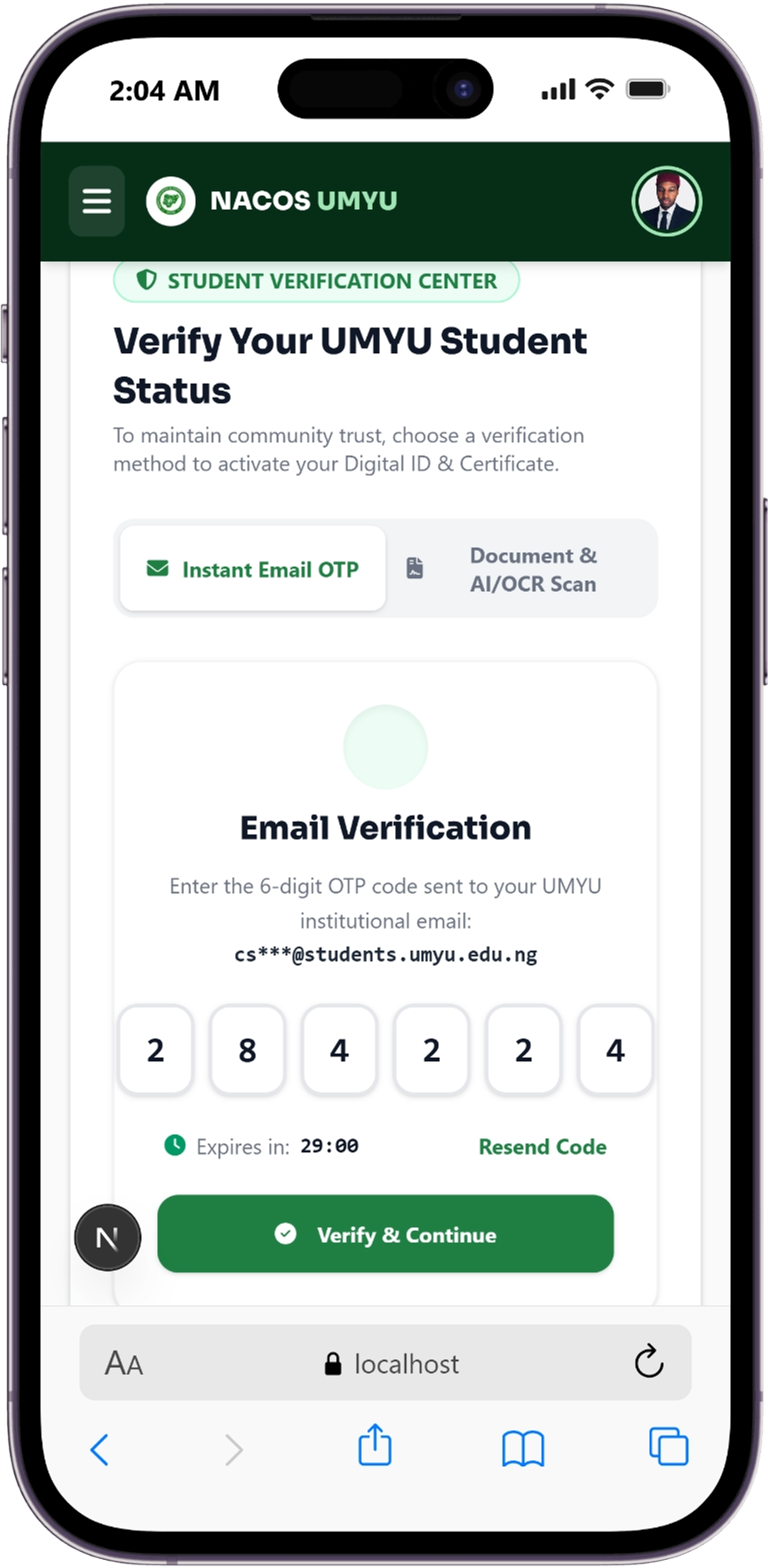
Enter Verification OTP Code
Check your email inbox for the 6-digit verification PIN dispatched by the system and enter it into the OTP verification box.
- Check email inbox for 6-digit OTP code
- Enter PIN into verification form
- Confirms student email authorization
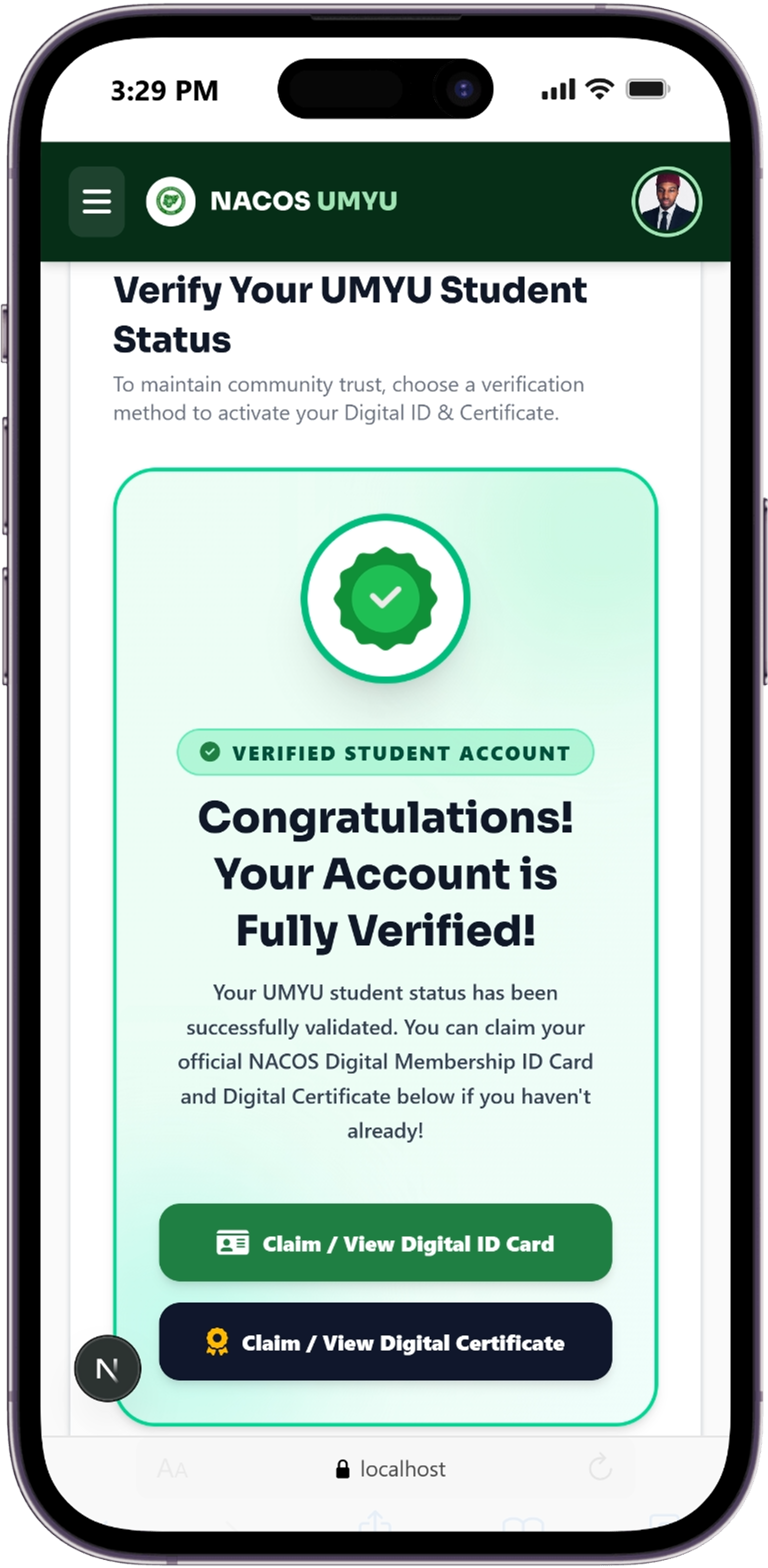
Wait for System to Verify OTP
The system verifies your submitted OTP PIN in real-time, authenticates your student profile, and generates your unique NACOS Membership ID.
- Real-time PIN verification check
- Assigns permanent NACOS Membership ID
- Activates full member status
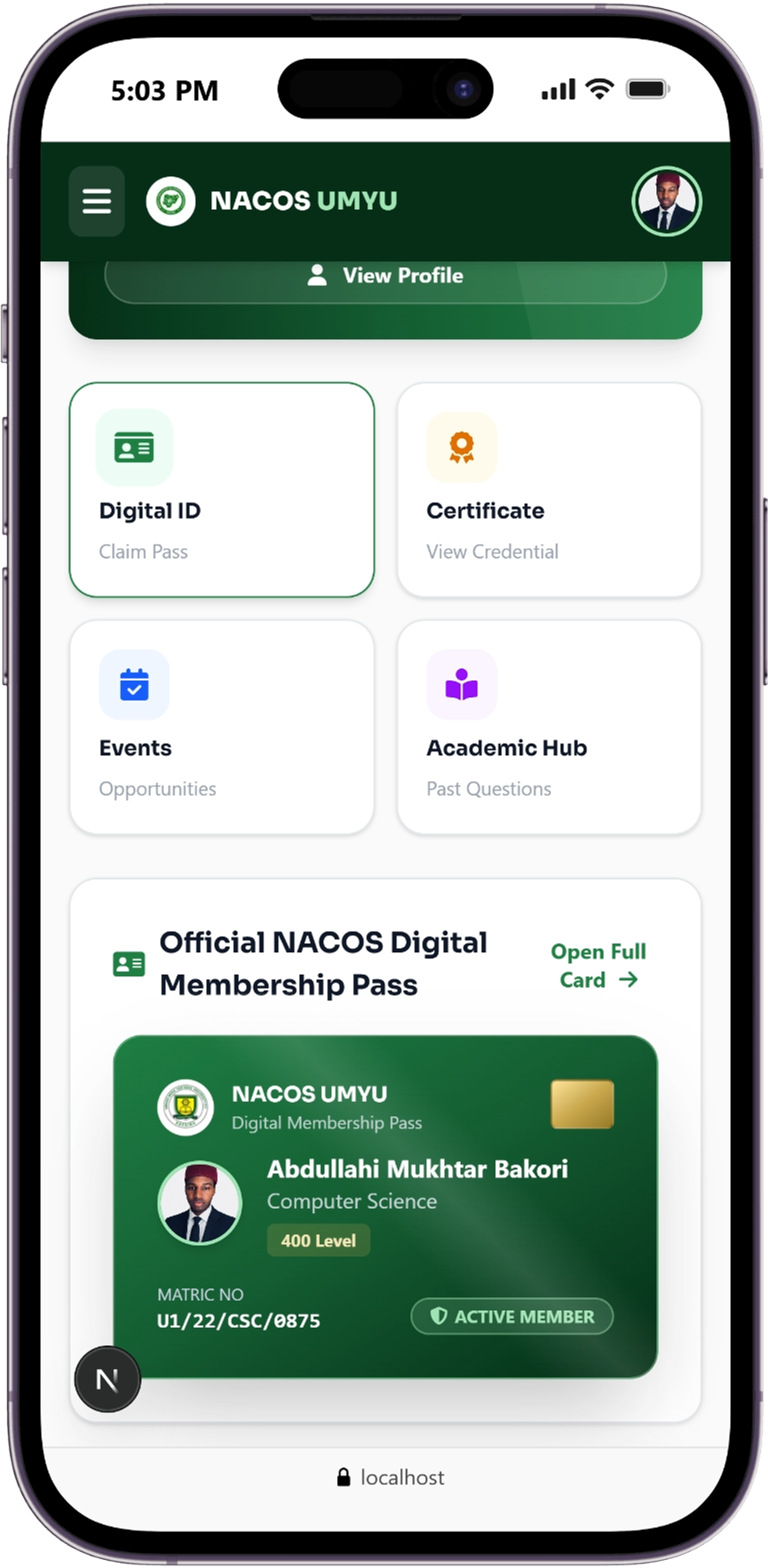
Enjoy Full Member Benefits & Digital ID!
Log into your member dashboard to access 100L - 400L past exam archives, claim tamper-proof certificates, register for VIP event passes, and print your Digital ID Card!
- Download & print Digital Membership ID Card
- Access solved semester past questions & lecture slides
- Claim VIP event passes & verified digital certificates
Become an Official NACOS UMYU Member Today
It takes less than 3 minutes to register your student profile and unlock all chapter privileges.
Proceed to Registration